
How email verification works
Email verification tells you whether an address can receive email before you send a campaign to it. Here is what Easy Email Verification checks, what each answer means and where any verification service reaches its limits.
What is email verification?
Email verification checks each address on your list against the internet's own mail infrastructure: is it written correctly, does the domain exist, does it receive email, and does the mail server accept this particular mailbox? It does all of this without sending a message, so the people on your list never notice. The result is a list you can send to with fewer bounces.
The checks, step by step
Syntax and typos
The address must follow the email format. Common typos in popular domains are caught and a correction is suggested, such as john@gmial.com → john@gmail.com.
Domain and mail server (MX)
The domain must exist and publish MX records, the DNS entries that say which server receives its email. No MX record means no email can be delivered.
Mailbox (SMTP)
Easy Email Verification connects to that mail server and asks whether it would accept a message for this mailbox, then stops before anything is sent. The answer is what makes a result valid or invalid.
Address type
Each address is also flagged as disposable (temporary inbox), role-based (info@, sales@), free provider (Gmail, Outlook…) or catch-all, so you can decide how to treat it.
The three answers
The mail server accepted the mailbox. Safe to send, unless a risk signal says otherwise.
The address, domain or mailbox does not exist, or the server rejected it. Sending would bounce.
No reliable answer. Unknown is not invalid: it usually means a temporary condition.
See it in the dashboard
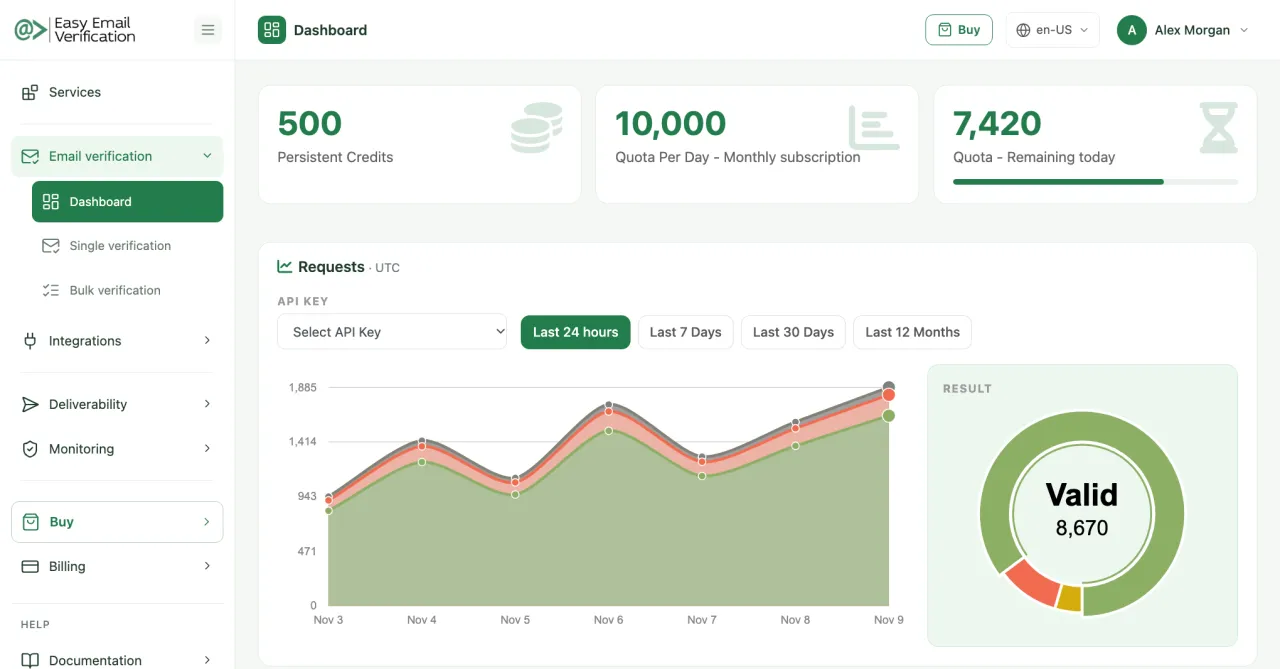
Follow your credits, your requests over time and the results of your verifications. Sample data.
How to verify an email address without sending an email
The mailbox check uses the first steps of a normal email delivery and stops before the message itself. This is the conversation with the receiving mail server, simplified:
220 mx.example.com readyThe mail server accepts the connection.EHLO verify.easyemailverification.comEasy Email Verification introduces itself.MAIL FROM:<check@easyemailverification.com>Says who the message would come from.RCPT TO:<jane@example.com>Asks for the mailbox being verified.250 OK | 550 No such user250: the mailbox exists (valid). 550: it does not (invalid). 4xx: try again later (unknown).QUITEnds the conversation.The conversation ends before the DATA step, where a real message would be transmitted. Nothing reaches the inbox and the person is not notified.
Can I do this myself?
You can type these commands by hand or script them, but it rarely works well at scale: many networks and cloud providers block outgoing port 25, mail servers greylist or block unknown hosts that probe mailboxes, and catch-all domains answer 250 to every address. A verification service runs the checks from servers set up for it, detects catch-all domains and reports unclear cases as unknown instead of guessing.
Why some results are unknown
- Some mail servers answer slowly or time out.
- Some apply greylisting: they refuse the first contact from an unknown sender and accept it later.
- Some block or rate-limit verification attempts.
Easy Email Verification reports these cases as unknown instead of guessing. Verify them again later, or send to them separately from your clean list.
What no verification can tell you
Catch-all domains
Some domains accept mail for any address. The server says yes to everything, so the individual mailbox cannot be confirmed. These addresses are flagged as catch-all; send to them in a separate segment and watch the bounces.
Future engagement
A valid address can receive email. Whether its owner opens, clicks or reports spam depends on your content and your list's consent, not on verification.
Tomorrow's status
Mailboxes close when people change jobs or providers. A list verified six months ago is not clean today, so verify again before large campaigns.
Why it matters for your campaigns
Every invalid address is a bounce. Mailbox providers and email platforms such as Mailchimp, ActiveCampaign and HubSpot treat high bounce rates as a sign of a poorly kept list: your messages land in spam more often, and accounts can be limited. Verifying before you send protects your sender reputation and keeps your reports honest.
Three ways to use it
One address
Check a single address for free in the email checker, with every detail of the result.
Open the email checker →Automatically
Verify contacts as they enter your email platform, CRM or signup form.
See integrations →Privacy
Addresses verified one at a time, in the email checker or through the API, are not retained. Bulk result files are kept for 30 days so you can download them, and are then deleted. No message is ever sent to the addresses you verify. See our privacy policy and data protection pages.
Email verification FAQ
Does email verification send an email?
No. The check talks to the receiving mail server and stops before a message is sent. The person behind the address is not contacted.
How reliable are the results?
Valid and invalid come from the receiving mail server itself. When the server does not give a reliable answer, the result is unknown, and catch-all domains are flagged, instead of being guessed.
How often should I verify my list?
Before every large campaign, and whenever you import contacts from a new source. Addresses stop working over time.
Is it free?
You can verify 50 addresses a day for free with an account. Larger volumes use credits: one credit per address. See plans.
Verify your next campaign list
Create a free account and verify up to 50 addresses a day at no cost.
Create a free account